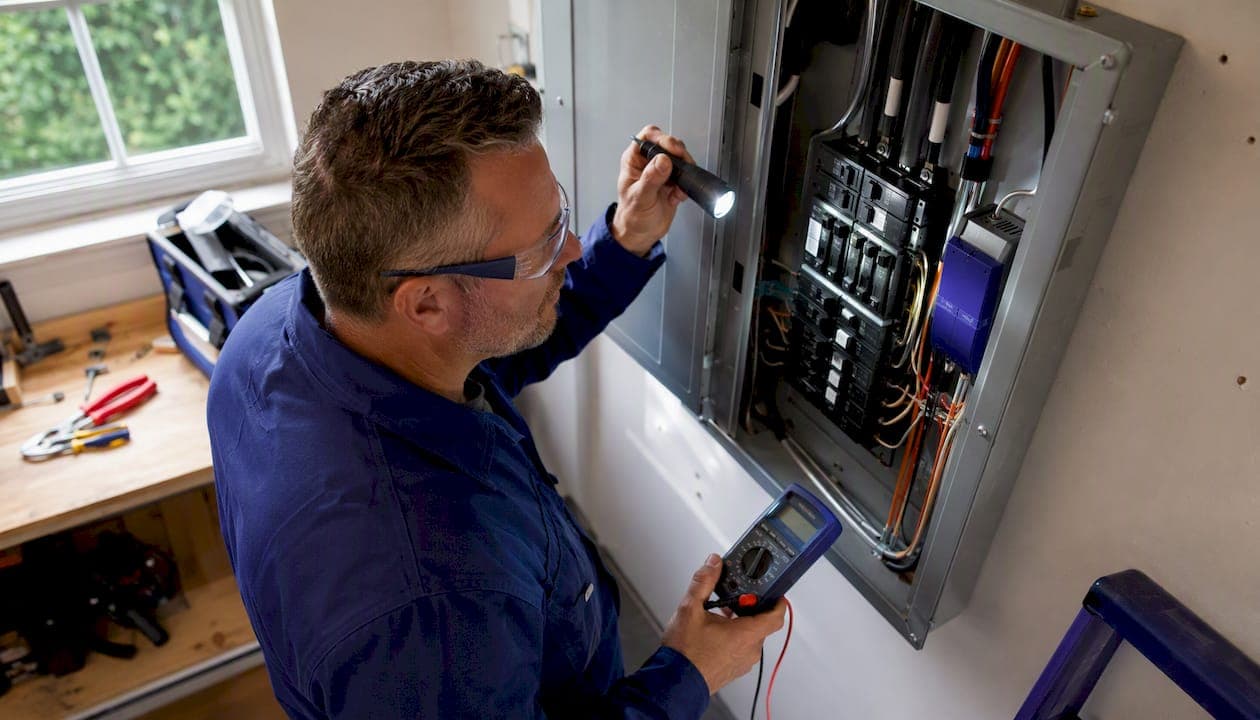
Yes, you should install whole home surge protection. A panel-mounted surge protective device (SPD) is one of the few electrical upgrades that costs a few hundred dollars and protects systems worth tens of thousands. Here is what to expect:
- What it protects: HVAC control boards, built-in appliances, hardwired security systems, smart home equipment, and whole-home networking gear that plug-in strips cannot reach.
- Typical installed cost: roughly $200–$700 for the device plus electrician labor, though panel complexity and grounding upgrades can push the total higher.
- Who installs it: A licensed electrician. This is not a DIY project.
If your home has expensive hardwired systems or sits in a storm-prone area, the math is straightforward.
Table of Contents
- How does whole home surge protection actually work?
- What are the different types of surge protection devices?
- What does a whole-home SPD actually protect?
- Pros and cons: is whole-home surge protection worth it?
- How much does whole-home surge protection cost?
- What does installation involve, and who should do it?
- How long do surge protectors last, and when should you replace them?
- When is DIY a bad idea, and how do you vet an electrician?
- How do you choose the right whole-home surge protector?
- What codes and standards govern residential surge protection?
- Key Takeaways
- The case for treating surge protection as infrastructure, not an afterthought
- How 30apropertycollective handles surge protection for Emerald Coast estates
- Useful sources for further reading
How does whole home surge protection actually work?
A whole-home SPD is a panel-mounted device that intercepts voltage spikes before they reach your circuits. It connects at or near your main electrical panel, either at the service entrance (line-side) or on the load side, and monitors incoming voltage continuously.
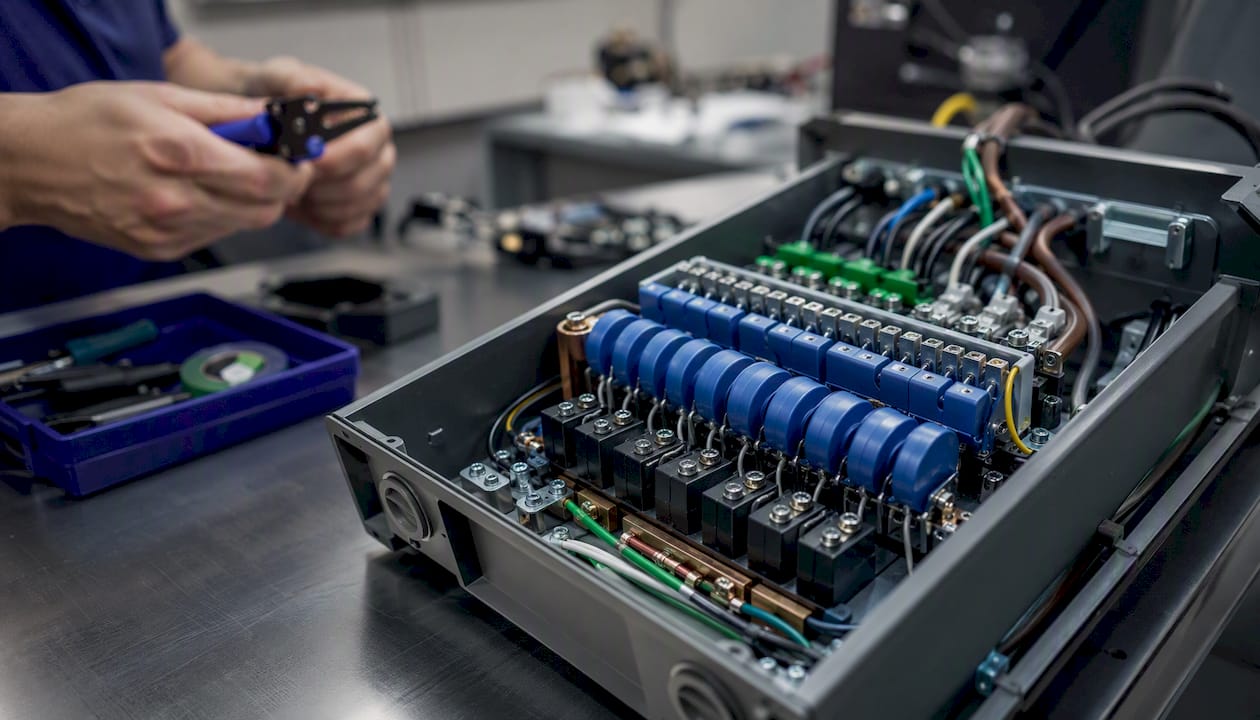
When a surge arrives, the device's metal oxide varistors (MOVs) clamp the excess voltage and divert it to the grounding conductor, typically in nanoseconds. That speed matters because modern electronics, from HVAC control boards to smart thermostats, can be damaged by spikes that last microseconds. A plug-in power strip does the same thing in principle, but panel-level SPDs handle surge current ratings of 40,000–120,000+ amps per phase, compared to 500–6,000 amps for most power strips. The difference is not marginal.
Think of it as a pressure-relief valve for your electrical system. The surge hits the panel, the MOVs absorb and redirect it, and your circuits see normal voltage. The device takes the hit so your refrigerator's control board does not.
Pro Tip: Choose a unit with a visible LED indicator or audible alarm. MOVs degrade silently over time, and without an end-of-life signal, you may think you are protected when the device has already exhausted its capacity.
What are the different types of surge protection devices?
Surge protection devices fall into three categories under UL 1449, and each belongs at a different point in your electrical system.
| Type | Location | Surge Capacity | Best For |
|---|---|---|---|
| Type 1 | Service entrance (line-side, before main disconnect) | Highest — handles external surges from utility grid and nearby lightning | Maximum protection; required by some utilities |
| Type 2 | Main panel or subpanel (load-side) | High — most common residential install | Whole-home protection for most houses |
| Type 3 | Point-of-use (outlets, power strips) | Lower — clamps residual transients | Sensitive electronics: TVs, computers, audio gear |
Type 1 devices install before the main breaker, which means the utility must sometimes de-energize the line. Type 2 devices go inside the panel on the load side and are the most common choice for residential retrofits. Type 3 devices at individual outlets handle the smaller internal transients that a panel-level device may not fully suppress.
A layered approach using both a panel-mounted SPD and point-of-use protectors gives the most complete coverage. For a typical home, that means a Type 2 at the main panel, a second Type 2 at any subpanel serving a detached garage or pool equipment, and quality Type 3 strips for home theater and computer equipment.
What does a whole-home SPD actually protect?
Panel-level protection covers every hardwired circuit in the house. That includes systems a plug-in strip can never reach:
- HVAC systems, including variable-speed compressors and smart thermostats
- Built-in refrigerators, ovens, and dishwashers with electronic control boards
- Garage door openers and gate motors
- Hardwired security and alarm panels
- Whole-home networking equipment and structured wiring
- Smart home systems and hardwired automation controllers
- EV chargers and hardwired lighting controls
Hardwired appliances are exposed to surge damage unless a panel-mounted SPD is present, because there is no outlet to plug a strip into. That is the core argument for panel-level protection that most homeowners miss until something burns out.
What it does not guarantee: No residential SPD can protect against a direct lightning strike. A direct strike can release energy that exceeds any device's rated capacity. SPDs significantly reduce the probability of catastrophic damage from grid switching events, nearby strikes, and internal transients — which account for the vast majority of real-world surge damage. For maximum protection during storm season, pair the panel device with quality point-of-use strips on sensitive electronics and consider unplugging high-value gear during severe electrical storms.
Pros and cons: is whole-home surge protection worth it?
Pros
- Protects every hardwired circuit simultaneously, including HVAC and built-in appliances
- Installed cost is modest relative to the replacement value of protected equipment
- NEC Section 230.67 now requires SPDs for new and upgraded residential services in jurisdictions that have adopted the 2020 code, so compliance is increasingly expected
- Low maintenance once installed, with visible indicators to confirm active protection
- Reduces risk from the most common surge sources: utility switching, nearby lightning, and internal transients
Cons
- MOVs wear down with each surge absorbed; the device eventually needs replacement
- Does not eliminate risk from a direct lightning strike
- Older homes may need grounding upgrades or panel work before installation, adding cost
- Requires a licensed electrician; not a weekend project
A whole-home SPD typically costs $200–$700 installed. Replacing a single HVAC control board can run $400–$1,500. Replacing a smart home controller, a built-in refrigerator's electronics, or a security panel can cost far more. The math favors installation for any home with modern hardwired systems.
Quick decision checklist: Do you have hardwired HVAC, smart home systems, or built-in appliances? Does your area experience frequent thunderstorms or utility switching events? Is your home in a hurricane-prone coastal region? If you answered yes to any of these, installation is worth it.

How much does whole-home surge protection cost?
| Cost Component | Typical Range | Notes |
|---|---|---|
| SPD device (Type 2) | $200–$700 | Quality units with UL 1449 listing and end-of-life indicators |
| Electrician labor | $100–$300 | Standard panel-side install, 1–2 hours |
| Total installed | $200–$700 | Most residential retrofits fall in this range |
| Grounding upgrades | $100–$500+ | If existing grounding is inadequate |
| Subpanel SPD (additional) | $200–$700 | Per subpanel for detached structures or HVAC circuits |
| Permit fees | $200–$700 | Varies by jurisdiction |
Several factors push costs toward the higher end: older panels with limited space, line-side (Type 1) installation requiring utility coordination, inadequate grounding that needs upgrading, and permits in jurisdictions that require inspection. A straightforward Type 2 install on a modern 200A panel with good grounding is typically a two-hour job.
Professional electricians consider whole-home surge protection essential infrastructure for electronics-heavy homes, precisely because the installed cost is modest relative to what it protects.
Pro Tip: Ask for an itemized quote that separates device cost, labor, grounding work, and permit fees. Also request the warranty terms and any connected-equipment warranty language — some manufacturers cover downstream equipment damage up to a stated dollar limit if the device fails to protect.
What does installation involve, and who should do it?
A licensed electrician should handle this job. Working inside a main panel involves live conductors that remain energized even with the main breaker off, and a line-side installation requires the utility to cut power at the meter. Beyond safety, a licensed install protects your warranty and satisfies permit requirements.
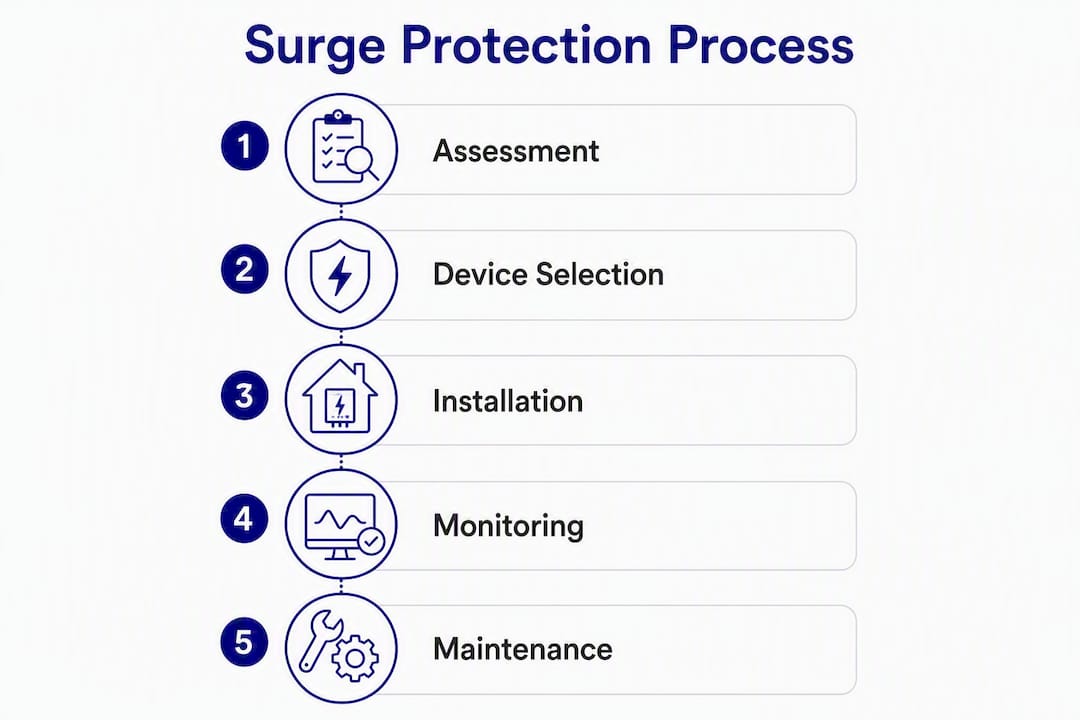
Typical installation steps:
- Electrician reviews your panel, confirms available space, and checks grounding adequacy
- Utility de-energizes the line (for Type 1/line-side) or electrician works load-side with main breaker off
- SPD is mounted and connected to the panel's grounding conductor and bus bars
- Electrician verifies indicator lights are active and tests the circuit
- Permit inspection, if required by your jurisdiction
Most load-side (Type 2) installs take one to two hours. A line-side install or one that requires grounding work can take a full day.
What to ask your electrician before they start:
- Are you licensed and insured in this state?
- Which NEC edition does our jurisdiction enforce, and will this install require a permit?
- Is my current grounding system adequate for this device?
- What is the surge current rating (kA) of the device you are installing?
- Does the device carry a UL 1449 listing and an end-of-life indicator?
- What connected-equipment warranty, if any, comes with this unit?
How long do surge protectors last, and when should you replace them?
MOVs degrade with every surge they absorb. A device that has handled several significant events may look identical to a new one on the outside while offering little actual protection. Most quality whole-home SPDs include LED indicators or audible alarms to signal when the MOVs have reached end-of-life.
Check the indicator light after every significant storm. Green typically means the device is protecting; a red light or no light means it needs replacement. Some units also emit an audible alarm when protection is lost. Do not assume the device is still working just because the panel looks normal.
SPDs are designed to fail safely after absorbing surge energy, meaning they stop protecting rather than causing a hazard. But "failing safely" still means you are unprotected until you replace the unit.
Lifespan varies by surge activity in your area. A home in a region with frequent lightning and utility switching events may need replacement sooner than one in a low-activity area. There is no universal expiration date, which is why the indicator light check matters.
Pro Tip: Add an SPD visual check to your seasonal home maintenance routine and to any post-storm inspection. It takes thirty seconds and confirms your protection is still active.
When is DIY a bad idea, and how do you vet an electrician?
DIY installation of a whole-home SPD at the service entrance or line-side is genuinely dangerous. The conductors entering your panel from the utility remain live even when your main breaker is off. Incorrect grounding, wrong device type, or improper connections can reduce protection to zero or create a fire hazard.
Common installation problems to watch for:
- Incorrect grounding — the SPD is not bonded to the grounding conductor, so surges have nowhere to go.
- Wrong device type — a Type 3 point-of-use device installed at the panel, which cannot handle panel-level surge currents.
- Panel overcrowding — the device is crammed into a panel with no room, creating heat and connection issues.
- No end-of-life indication — the installed unit has no indicator, so you cannot tell when protection is lost.
- Missing permit — the install was never inspected, which can affect homeowner's insurance claims and resale.
Electrician vetting checklist:
- Verify their license with your state's contractor licensing board.
- Confirm they carry general liability and workers' compensation insurance.
- Ask specifically about NEC familiarity and experience with SPD installs.
- Request an itemized written quote before work begins.
- Ask for references from similar residential jobs.
- Confirm they will pull a permit if your jurisdiction requires one.
How do you choose the right whole-home surge protector?
The specs that matter most, in order of importance:
- UL 1449 listing: Non-negotiable. This is the product safety standard for surge protective devices. Do not install a unit without it.
- Type rating: Type 1 for service-entrance installs; Type 2 for main panel or subpanel. Match the type to the install location.
- Surge current rating (kA): Higher is better. For a 200A residential service, look for at least 80 kA per phase. The Schneider Electric Surgebreaker Plus is rated at 80 kA; the Siemens FirstSurge Plus at 100 kA. Both are widely available and carry UL 1449 listings.
- Clamping voltage: Lower is better. Look for a clamping voltage at or below 400V for 120/240V residential systems.
- End-of-life indicators: LED status lights and audible alarms are standard on quality units. Avoid any device that offers no indication of protection status.
- Thermal fusing: A thermal fuse reduces fire risk if the MOVs fail under extreme conditions. Confirm the spec sheet lists it.
- Connected-equipment warranty: Some manufacturers offer coverage for downstream equipment damaged during a surge event. Read the terms carefully — coverage limits and conditions vary.
- Panel compatibility: Confirm the device fits your panel brand and enclosure. Some units are designed for specific load centers.
Pro Tip: Prioritize a Type 1 or Type 2 UL 1449 listing and a visible end-of-life indicator above all other specs. A high kA rating on an unlisted device with no indicator is a worse choice than a moderate-rated listed device you can actually monitor.
What codes and standards govern residential surge protection?
NEC Section 230.67 requires a Type 1 or Type 2 SPD for new residential electrical service installations and major service upgrades in jurisdictions that have adopted the 2020 National Electrical Code. This means if you replace your panel or upgrade your service, an SPD is no longer optional in those areas — it is a code requirement.
UL 1449 is the product safety standard that defines Type 1, Type 2, and Type 3 classifications and sets the testing requirements for clamping voltage, surge current capacity, and thermal protection. Any device you install should carry this listing.
NEC adoption is not uniform. Some states and municipalities are still enforcing the 2017 or earlier NEC editions, which did not mandate SPDs for residential services. Others adopted the 2020 code quickly. Your electrician should know which edition your jurisdiction enforces — and if they do not, that is a red flag.
NEC adoption timing varies by state and locality, so the requirement may or may not apply to your current project. Either way, installing an SPD is good practice regardless of whether your jurisdiction mandates it. Ask your electrician which code edition is enforced locally and request documentation of any permit or inspection.
Key Takeaways
A panel-mounted, UL 1449-listed SPD is the most cost-effective way to protect hardwired HVAC, appliances, and smart systems from surge damage, with most installs running $200–$700 total.
| Point | Details |
|---|---|
| Install at the panel | A Type 2 SPD at your main panel protects every hardwired circuit a plug-in strip cannot reach. |
| Budget $200–$700 installed | Device plus electrician labor covers most residential retrofits; grounding upgrades add cost. |
| Check indicators after storms | MOVs degrade silently — verify the LED is green after every significant electrical event. |
| NEC 230.67 compliance | New or upgraded services in 2020 NEC jurisdictions require a Type 1 or Type 2 SPD by code. |
| 30apropertycollective coordination | 30apropertycollective includes SPD checks in estate inspections and coordinates licensed electrician installs for Emerald Coast homeowners. |
The case for treating surge protection as infrastructure, not an afterthought
Most homeowners think about surge protection after something fails. An HVAC control board burns out during a summer storm, a smart home hub stops responding, a built-in refrigerator throws an error code that turns into a $900 repair. Only then does the $300 panel device start to look like an obvious investment.
The conventional wisdom treats whole-home surge protection as optional. That framing made sense when homes had a few appliances with simple motors and no electronics. It does not hold for a modern home with a variable-speed HVAC system, a smart panel, an EV charger, and a whole-home automation controller. Every one of those systems has microprocessors that are sensitive to voltage transients, and none of them can be protected by a power strip.
What gets overlooked is the cumulative damage argument. A single dramatic surge from a nearby lightning strike gets attention. But most MOV wear comes from dozens of smaller events: utility switching, motor startups, grid fluctuations. Your panel-level SPD absorbs those quietly, and the indicator light tells you when it has absorbed enough. That is the maintenance signal most homeowners never check.
The other underappreciated point is documentation. A properly permitted SPD install creates a paper trail that matters for insurance claims, home sales, and warranty coverage. An unpermitted install by an unlicensed contractor creates the opposite: a liability with no protection if something goes wrong.
How 30apropertycollective handles surge protection for Emerald Coast estates
For homeowners along Florida's Emerald Coast, surge risk is not theoretical. The Gulf Coast sees some of the highest lightning strike densities in the country, and utility switching events during storm season are routine. Managing that risk requires more than a one-time install.

30apropertycollective coordinates the full process for estate clients: sourcing licensed, insured electricians, verifying UL 1449 compliance and permit documentation, scheduling installation around your calendar, and adding SPD status checks to weekly property inspections. Post-storm assessments include a visual check of indicator lights and a note in your digital property report. Warranty paperwork and permit records are tracked and available when you need them.
If you prefer not to manage contractor vetting, scheduling, and documentation yourself, that is exactly what the concierge service is built for. Contact 30apropertycollective to add surge protection coordination to your estate management plan.
Useful sources for further reading
- Siemens FirstSurge Plus product page (The Home Depot): — Specifications, compatibility notes, and retailer availability for a widely used 100 kA residential SPD.
- Eaton complete home surge protection: Product family overview for service-entrance SPDs, with guidance on protecting sensitive electronics in electronics-heavy homes.
- ABB: What is whole-home surge protection and is it worth it?: — Balanced overview of SPD capabilities and limitations, including the direct-lightning-strike caveat.
- NEMA Surge Protection resources (nemasurge.org): Industry association background on surge protection standards and the history of SPD development in the U.S.