
To build a claim-ready home inventory for insurance, record every item's name, make, model, serial number, purchase date, price, and a dated photo or video, then store that record off-site or in the cloud. You can complete a solid first pass efficiently with a focused walkthrough.
Start right now with these steps:
- Open your phone camera and record a slow video walkthrough of every room, narrating item names and opening drawers for electronics and jewelry.
- Prioritize high-value rooms first: home office, master bedroom (jewelry, watches), living room (TV, audio equipment), and kitchen (appliances).
- Capture close-ups of serial number plates on every major appliance, TV, laptop, and piece of audio gear.
- Photograph receipts or pull digital receipts from your email and drop them into a labeled cloud folder immediately.
- Export or upload everything off-site before you close the app or folder. A copy that lives only on your phone or home computer is a copy you could lose in the same event you're filing a claim for.
Pro Tip: A timestamped video walkthrough combined with close-up serial number shots is often accepted as primary evidence by adjusters. It takes 20 minutes and covers more ground than a typed list you'll never finish.
Table of Contents
- Why a complete home inventory matters for insurance claims
- The exact fields insurers expect for every item
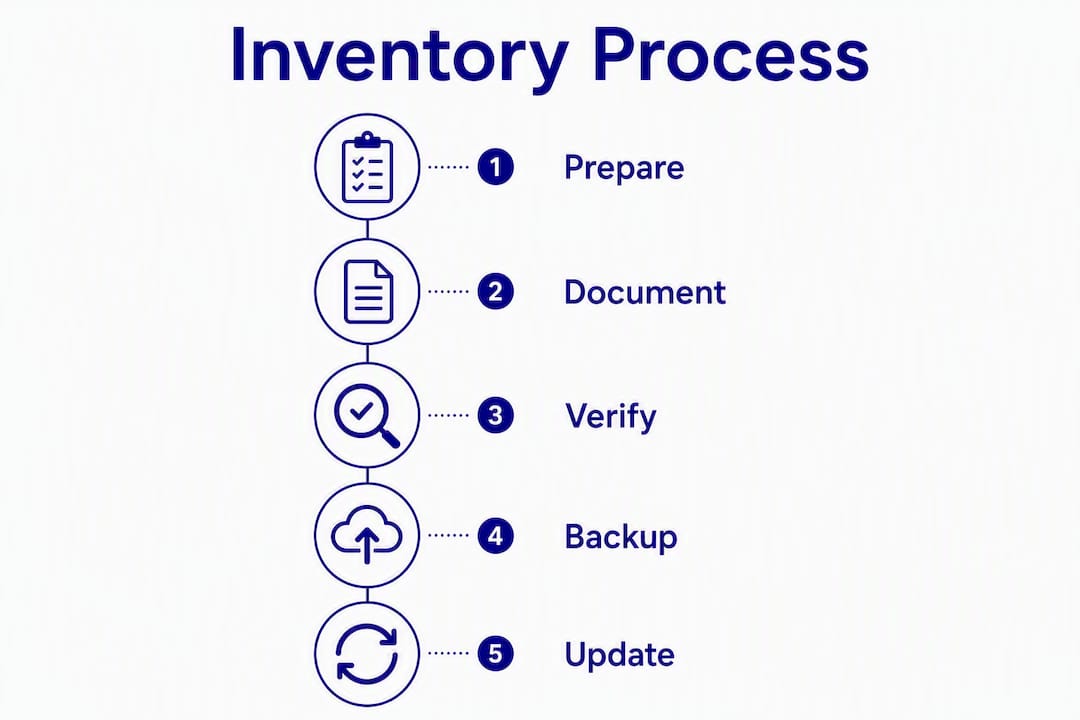
- How to build your inventory step by step
- Which tools and templates actually help
- How to document high-value items and handle policy sub-limits
- How to store, back up, and share your inventory securely
- When and how often to update your home inventory
- Common mistakes that slow claims and what adjusters want to see
- Your home inventory works harder than you think
- Key Takeaways
- The inventory habit most homeowners skip
- How 30apropertycollective keeps your estate inventory claim-ready year-round
- Useful sources and templates to download
Why a complete home inventory matters for insurance claims
A complete inventory does one thing above all else: it shifts the burden of proof in your favor. Without it, you're asking an adjuster to take your word for what you owned and what it was worth. With it, you're presenting documented evidence that supports a replacement-cost settlement rather than an actual cash value payout, which can be significantly lower.

The New York Department of Financial Services recommends itemized room-by-room inventories with receipts, purchase dates, and dated photos or video, with copies stored off-site. The National Association of Insurance Commissioners (NAIC) echoes this guidance and offers its own free Home Inventory app to help homeowners get started. State insurance departments across the country, from Ohio to California, publish nearly identical checklists because adjusters consistently need the same core data.
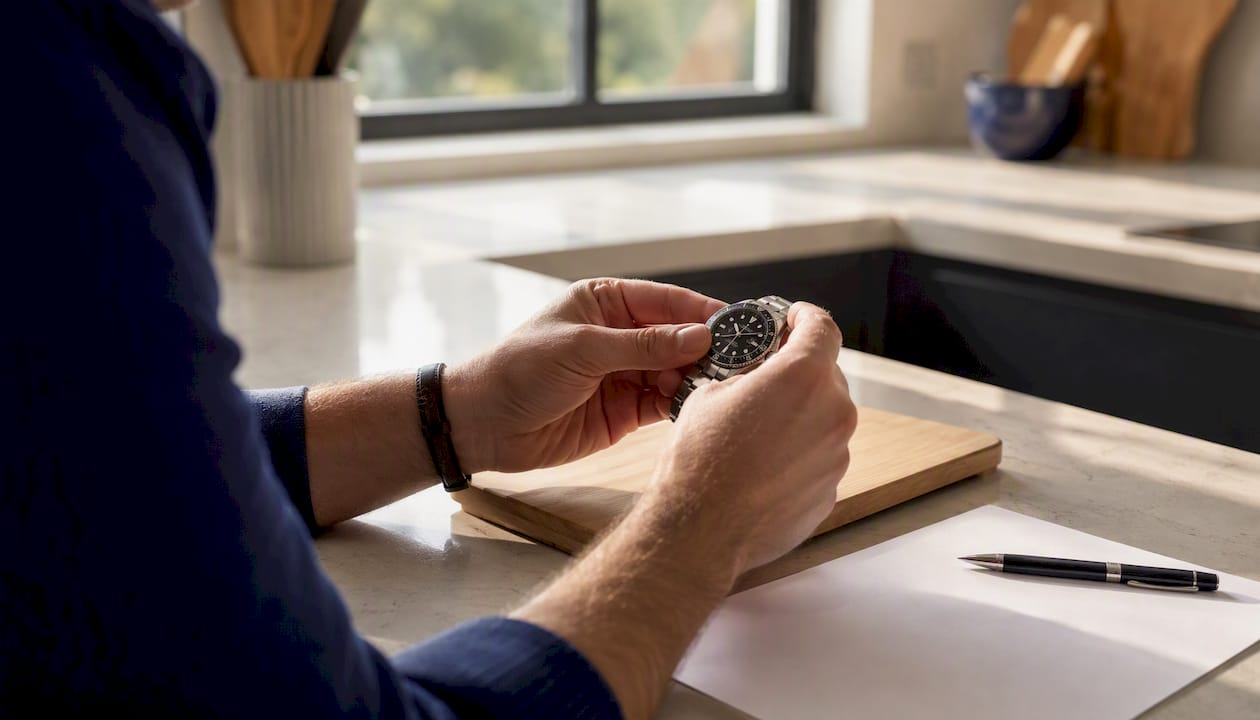
The secondary benefits are real too. A well-maintained inventory supports estate planning, gives contractors a baseline for renovation projects, and provides tax documentation for uninsured losses claimed as casualty deductions. For seasonal or absentee homeowners, it's also the fastest way to verify that nothing went missing between visits.
The exact fields insurers expect for every item
Video alone won't get you a full replacement-cost settlement. Adjusters need structured metadata to verify what you owned, what it cost, and what it's worth today. Here's the complete field set, organized by priority:
| Field | Why it matters | Best evidence format |
|---|---|---|
| Item name / description | Identifies the object clearly | Text entry |
| Make and model | Confirms exact product for replacement pricing | Text + photo of label |
| Serial number / VIN | Speeds verification; required for theft claims | Close-up photo |
| Purchase date | Establishes ownership timeline | Receipt scan (PDF/JPG) |
| Purchase price | Supports replacement-cost calculation | Receipt or bank statement |
| Current estimated value | Flags coverage gaps on appreciated items | Appraisal (PDF) |
| Dated photos | Visual proof of condition and existence | JPG/PNG with EXIF date |
| Video timestamp | Broad coverage of condition | MP4 |
| Receipts / invoices | Primary proof of purchase price | PDF scan |
| Warranty documents | Confirms product specs and age | |
| Appraisal report | Required for jewelry, art, collectibles | PDF with appraiser credentials |
| Provenance / certificate of authenticity | Needed for collectibles and fine art | PDF or physical scan |
For grouped items like books, linens, or kitchen tools, a single category entry with an estimated total value and a photo of the collection is acceptable. Individually scheduled items, meaning anything above your policy's sub-limit for a category, need their own line with full documentation.
Pro Tip: A single high-res photo showing the serial number plate alongside a receipt scan is often sufficient for high-value electronics. Combine both in one image file so they're impossible to separate in a claim folder.
How to build your inventory step by step
Three methods work well, ranked by speed versus completeness:
- Phone video walkthrough + AI app post-processing (fastest, 60–90 minutes)
- Room-by-room photos + spreadsheet log (most control, 2–4 hours)
- Dedicated inventory app with barcode and serial scanning (most structured, ongoing)
The 60–90 minute video-first method
- Prep (5 minutes): Clear a path through each room. Open closets, cabinets, and drawers you plan to capture. Have your phone charged and cloud backup enabled.
- Room sweep (30–40 minutes): Record a slow, narrated walkthrough of each room. State the room name at the start of each clip. Pan across shelves, open appliance doors, and hold the camera steady on electronics.
- Serial number close-ups (10–15 minutes): Go back through and film the serial plate on every TV, laptop, appliance, and piece of audio equipment. Read the number aloud on camera.
- Receipt capture (10 minutes): Photograph physical receipts or forward digital receipts to a dedicated email folder labeled "Home Inventory Receipts."
- Export and backup (5 minutes): Upload all video clips and photos to a cloud folder (Google Drive, iCloud, or Dropbox). Name the folder with today's date.
"A video walkthrough paired with AI item identification and timestamped export can produce a claim-ready packet in under an hour for most homes." — Preloss
Spreadsheet-first method
Create one tab per room. Each row is one item. Columns should include: Item Name, Make, Model, Serial Number, Purchase Date, Purchase Price, Current Value, Photo File Name, Receipt File Name, Notes.
Keep the spreadsheet in the same cloud folder as your photos. Export it as both an Excel file and a PDF so you have a version your insurer can open without special software.
- Use consistent file naming:
LivingRoom_Samsung_TV_SN12345.jpg - Keep receipts in a subfolder named
Receiptsinside the room folder - Add a "Last Updated" column so you know which entries are stale
Which tools and templates actually help
The right tool depends on how you work. Here's what each category offers:
| Tool type | Best for | Free tier | Export formats | Insurer sharing |
|---|---|---|---|---|
| NAIC Home Inventory app | Quick start, government-backed | Yes (free) | Manual share | |
| Under My Roof | Privacy-first, offline storage | Yes | CSV, PDF | Manual export |
| Preloss (video-first AI) | Speed, large homes | Limited free | PDF claim packet, photos | Direct export |
| Spreadsheet template | Full control, no app needed | Yes | CSV, PDF (via export) | Email attachment |
NAIC Home Inventory app: The NAIC offers a free app specifically designed for insurance documentation. It's straightforward, government-backed, and produces outputs adjusters recognize. If you want one tool with zero learning curve, start here.
Under My Roof: This app stores data on your device or iCloud rather than a third-party server, which matters if you're cautious about where your asset data lives. It supports voice entry, barcode scanning, and CSV/PDF exports, making it a practical choice for homeowners who want to work offline and share selectively.
Preloss: Built around the video-first workflow, Preloss uses AI to identify items from footage and generates timestamped, export-ready claim packets in PDF format. AI speeds the capture process, but you'll still need to verify entries for high-value items and anything that needs an appraisal.
"AI tools speed capture but homeowners must verify entries, especially for appraisals and scheduled items." — NerdWallet
Pro Tip: Whatever tool you choose, test the export function before you need it. Generate a sample PDF and confirm it opens cleanly on a device other than the one you created it on.
- For a printable checklist, the Ohio Department of Insurance publishes a free room-by-room PDF you can print and fill out by hand.
- For a digital spreadsheet, copy the column set from the "what to record" section above into Google Sheets and share it with your insurer when needed.
- Insurers generally prefer a PDF claim packet for the summary, a CSV for the item list, and a clearly labeled photo folder. Match that format when you export.
How to document high-value items and handle policy sub-limits
Most homeowners insurance policies cap payouts for specific categories, typically jewelry, watches, fine art, collectibles, and firearms, at amounts well below replacement cost. A $5,000 jewelry sub-limit won't cover a single engagement ring at current gold and diamond prices. The solution is a scheduled personal property endorsement., but you need documentation to get one.
Adjusters require receipts or appraisals to support replacement-cost settlements on high-value items. Without them, you'll receive actual cash value, which factors in depreciation.
Documentation checklist for each high-value item:
- Written appraisal from a credentialed appraiser (GIA for gemstones, AAA for antiques, ASA for general personal property)
- Certificate of authenticity for art, collectibles, and signed memorabilia
- Serial number or hallmark photo
- High-resolution photos from multiple angles, including any identifying marks
- Original receipt or auction record
- Recent market valuation if the item has appreciated since purchase
Once you have this documentation, contact your insurer to add the item as a scheduled personal property endorsement. The premium increase is usually modest compared to the coverage gap it closes.
Pro Tip: Get appraisals dated within the last three years. Markets move, and an appraiser's credentials should appear on the document itself. Store one copy in the cloud and one physical copy off-site, not in the home being insured.
How to store, back up, and share your inventory securely
The most common mistake homeowners make is storing their only inventory copy inside the home. A house fire, flood, or hurricane destroys the inventory along with everything it was meant to document.
Best-practice storage uses two independent locations:
- Primary: Encrypted cloud storage (Google Drive, iCloud, Dropbox, or OneDrive) with two-factor authentication enabled
- Secondary: A USB drive or printed PDF in a safe-deposit box, or a copy emailed to a trusted person outside your home
Recommended file formats:
- PDF for the claim packet summary and item list
- CSV or Excel for the structured item data
- High-res JPG or PNG for photos (keep originals, not compressed copies)
- MP4 for video walkthroughs
When you need to share with your insurer or agent, export a clean claim packet PDF, confirm it includes photos and serial numbers, and send it through your insurer's secure upload portal or your agent's encrypted email. Avoid attaching raw video files to standard email; upload them to a shared folder link instead.
Pro Tip: Before a hurricane season or major storm, send your agent an updated claim packet. It puts a timestamped copy in their system before any loss occurs, which removes any dispute about pre-loss condition.
For Emerald Coast homeowners specifically, pairing your inventory with a solid hurricane preparedness plan means your documentation survives even when your property doesn't.
When and how often to update your home inventory
Update at least once a year, and immediately after any major purchase, renovation, inheritance, or significant life event. An inventory that's three years out of date won't reflect the 65-inch TV, the new kitchen appliances, or the jewelry you inherited last spring.
Practical triggers to update right away:
- New electronics, appliances, or furniture over $200
- Jewelry or watch purchases
- Art or collectibles acquired at auction or as gifts
- Completed renovations (new fixtures, built-ins, upgraded systems)
- Major seasonal cleanouts where items leave the home
- Inheritance or estate transfers
For the annual review, tie it to a date you already track: your policy renewal, tax season, or the spring daylight saving time change. A seasonal maintenance schedule pairs naturally with an inventory spot-check since you're already walking through the property.
Quarterly spot-checks take 10–15 minutes: open your inventory app or spreadsheet, scan for anything new or missing in each room, and add it. The annual audit is deeper: re-photograph items that have changed condition, update values on appreciated pieces, and verify that your policy limits still match your total inventory value.
Common mistakes that slow claims and what adjusters want to see
The fastest claims share one trait: the homeowner hands the adjuster a complete, organized packet and the adjuster has almost nothing left to request. The slowest claims are the opposite.
Mistakes that create delays:
- No serial numbers recorded (theft claims stall without them)
- Missing receipts for items over $500
- Inventory stored only on a device inside the insured home
- Low-resolution or blurry photos that don't show condition or identifying marks
- Undated video with no narration
- Grouped items listed as a single entry without individual values
What adjusters want to see:
- An itemized list with make, model, serial number, purchase date, and price for each item
- Receipts or appraisals for anything over your policy's per-item threshold
- Dated photos with clear condition documentation
- A logical export: PDF summary, labeled photo folder, and CSV item list
At claim time, here's how to triage:
- Submit your pre-built claim packet immediately so the adjuster has a baseline.
- Tag items in your inventory as "damaged," "destroyed," or "missing" and note the location where each was found (or not found).
- For items you can't document fully, request an advance payment while you gather additional proof. Most insurers allow partial advances on well-documented claims.
- Keep a running log of every conversation with your adjuster, including dates and what was discussed.
Your home inventory works harder than you think
A claims-grade inventory is also one of the most useful documents you can have for estate planning. Add three fields to your standard template: "Heir or designated recipient," "Last serviced," and "Condition history," and the same spreadsheet that supports an insurance claim also guides an executor, a contractor, or a property manager.
Cross-use cases worth building for:
- Estate planning: Designated heirs for specific items prevent disputes and speed probate. A well-tagged inventory can substitute for a separate personal property memorandum in many states.
- Contractor documentation: Before any renovation, photograph existing fixtures, appliances, and finishes. After completion, update the inventory with new items and their purchase dates.
- Maintenance records: Log service dates for HVAC systems, water heaters, and major appliances. This history supports warranty claims and helps you time replacements before failures.
- Tax documentation: For uninsured losses, the IRS requires documentation of the item's value before and after the casualty event. An inventory with purchase prices and dated photos satisfies that requirement.
For seasonal or absentee properties, a maintained inventory is especially valuable. Absentee homeowners who can't verify conditions in person rely on their documentation to confirm what was present before a loss and what's missing after.
Pro Tip: Add a "last serviced" field and a "condition at last inspection" note to every major appliance and system entry. It takes 30 seconds per item and turns your insurance inventory into a full property-management record.
Steps to adapt your inventory for multi-use:
- Add columns: "Heir/Custodian," "Last Serviced," "Service Provider," "Condition (1–5)," "Notes."
- Create a separate tab or folder for maintenance records, linked to the relevant inventory items.
- Share the estate-planning version with your attorney or executor, and keep it updated alongside the insurance version.
Key Takeaways
A complete home inventory for insurance, built with serial numbers, dated photos, receipts, and an off-site backup, is the single most effective way to speed a claim and protect your full replacement-cost coverage.
| Point | Details |
|---|---|
| Start with video and serial numbers | A 60–90 minute walkthrough with close-up serial shots covers most of what adjusters need immediately. |
| Record six core fields per item | Name, make/model, serial number, purchase date, price, and a dated photo are the minimum for a claims-ready entry. |
| Store copies in two locations | Keep one encrypted cloud backup and one off-site physical copy; never rely on a device inside the insured home. |
| Update annually and after major purchases | Tie your annual review to policy renewal or tax season so it becomes a habit rather than a project. |
| 30apropertycollective provides ongoing inventory support | For luxury and seasonal properties, 30apropertycollective's estate management service includes regular inspections, digital reports, and documentation that keeps your inventory current year-round. |
The inventory habit most homeowners skip
Here's the honest problem with home inventories: everyone agrees they're necessary, and almost no one keeps theirs current. The initial walkthrough gets done once, filed away, and forgotten until a claim arrives three years later with a list that doesn't reflect half of what's in the house.
The fix isn't a better app. It's a smaller habit. The homeowners with genuinely useful inventories treat it the way a good property manager treats weekly inspections: a short, regular task that prevents a large, painful one later. Ten minutes after a major delivery. A quick photo of the serial plate before the box goes in the recycling. A receipt forwarded to a cloud folder the same day it arrives.
What I find most underestimated is the gap between "I have an inventory" and "I have a claims-ready inventory." The first is a spreadsheet from 2022 with 40 items. The second is a current, exported PDF with photos, serial numbers, and receipts that an adjuster can work from without calling you back for more information. That gap is where most claims slow down, and it's entirely preventable.
The tools are good now. The NAIC app is free. Preloss can process a video walkthrough in under an hour. Under My Roof keeps your data on your own device if that matters to you. The technology isn't the barrier. The barrier is treating the inventory as a one-time project instead of an ongoing property responsibility, which is exactly how Progressive frames it: annual reviews and immediate updates after big purchases are what prevent underinsurance, not the initial list.
The most practical shift is this: stop thinking of your inventory as a document and start thinking of it as a habit. The document is just what the habit produces.
How 30apropertycollective keeps your estate inventory claim-ready year-round
Maintaining a current, claims-grade inventory on a luxury or seasonal property is genuinely difficult when you're not there every week. Items change, vendors come and go, and the gap between your last update and your next claim can quietly grow into a coverage problem.

30apropertycollective's estate management service closes that gap. As part of regular weekly property inspections along Florida's Emerald Coast, the team generates digital property reports that document current conditions, flag new items or changes, and maintain a running record of what's on the property. Vendor and contractor oversight means every installation and replacement is logged at the time it happens, not reconstructed from memory after a loss. For high-value items, the team coordinates with appraisers and manages secure document storage so your scheduled-item documentation stays current.
For homeowners who want their inventory handled as part of a broader property-care relationship, a concierge consultation is the right starting point. The team will assess your current documentation, identify gaps, and build a maintenance schedule that keeps your inventory accurate without requiring you to manage it yourself.
Useful sources and templates to download
The authoritative sources below are the ones state regulators, the NAIC, and insurance practitioners actually point homeowners to. Each one is free.
- NAIC Home Inventory resource: The National Association of Insurance Commissioners' consumer page, including the free NAIC Home Inventory app and guidance on what to document.
- NYDFS Home Inventory Checklist: A printable PDF from the New York Department of Financial Services with room-by-room fields, purchase date and cost columns, and off-site backup guidance.
- Ohio Department of Insurance Checklist: A clean, printable room-by-room checklist with fields for serial numbers, brand names, and purchase values.
- California Department of Insurance Home Inventory Guide: State-specific guidance with a downloadable inventory template and tips for California homeowners.
- North Carolina DOI Homeowners Inventory Chart: An interactive inventory calculator and printable chart from the North Carolina Department of Insurance.
- Progressive Home Inventory Guide: Practical guidance on selecting adequate personal property coverage and prioritizing high-value items.
- Under My Roof app (App Store): Privacy-focused inventory app with voice entry, barcode scanning, and CSV/PDF export.
- Preloss AI Home Inventory App: Video-first inventory tool with AI item identification and single-click claim packet export.
"Make your inventory as complete and detailed as possible. Your insurance company will ask for a detailed list of your personal property before paying your claim. Update your inventory regularly to add new items." — Ohio Department of Insurance
What to download first: Start with the Ohio or NYDFS printable PDF checklist for a paper-based walkthrough, then migrate to the NAIC app or Preloss for digital capture. Keep your exports in PDF and CSV formats so any adjuster can open them without special software.
This article provides general information about home inventory practices and is not a substitute for advice from a licensed insurance professional. Confirm your specific coverage requirements and documentation standards with your insurer or a qualified agent.